

Invite members
Go to Settings → Members and invite teammates by email. Add several addresses at once and choose the role they’ll join with. Each person gets an invite link; when they accept, they join the workspace. You can see pending invites, resend or revoke them, and remove members from the same screen.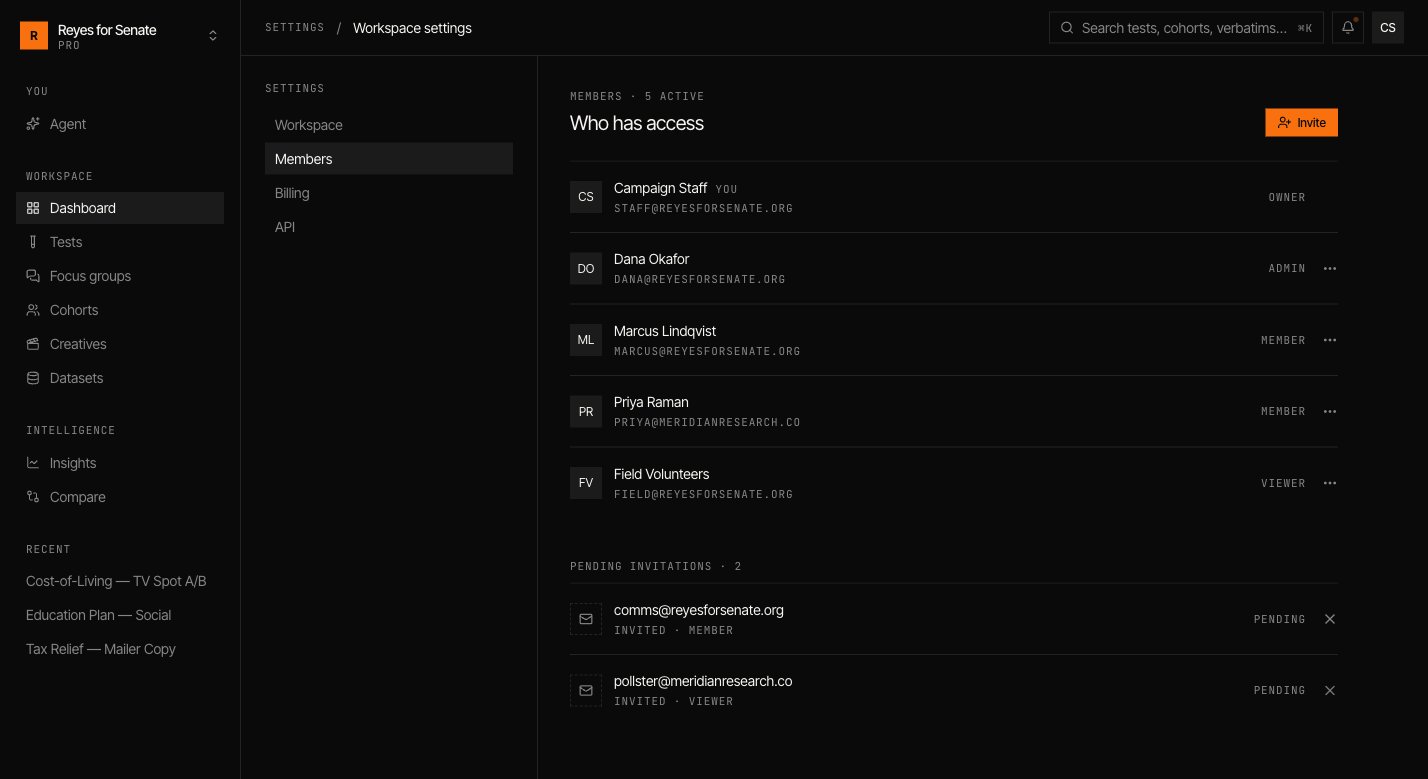
Roles
| Role | Can do |
|---|---|
| Owner | Full control, including billing and deleting the workspace |
| Admin | Manage members, datasets, and all workspace content |
| Member | Create and run cohorts, tests, and focus groups |
| Viewer | View results and shared work, without editing |
Assign the least-privileged role that lets someone do their job. You can change a member’s role or remove them at any time from Settings → Members.
Multiple workspaces
You can belong to more than one workspace — for example, one per client or team. Switch between them with the workspace switcher in the top-left of the sidebar, or create a new one from the same menu.Plans and billing
See what your plan includes and manage billing.