

Insights
Open Insights for a cross-test view of your workspace. It surfaces patterns that only show up once you’ve run a few studies — recurring themes, segments that consistently over- or under-index, and shifts in how your audience responds over time. Insights also power the notifications and the weekly digest, so the signal finds you: when a run finishes, when a new verbatim cluster appears, or when a metric moves.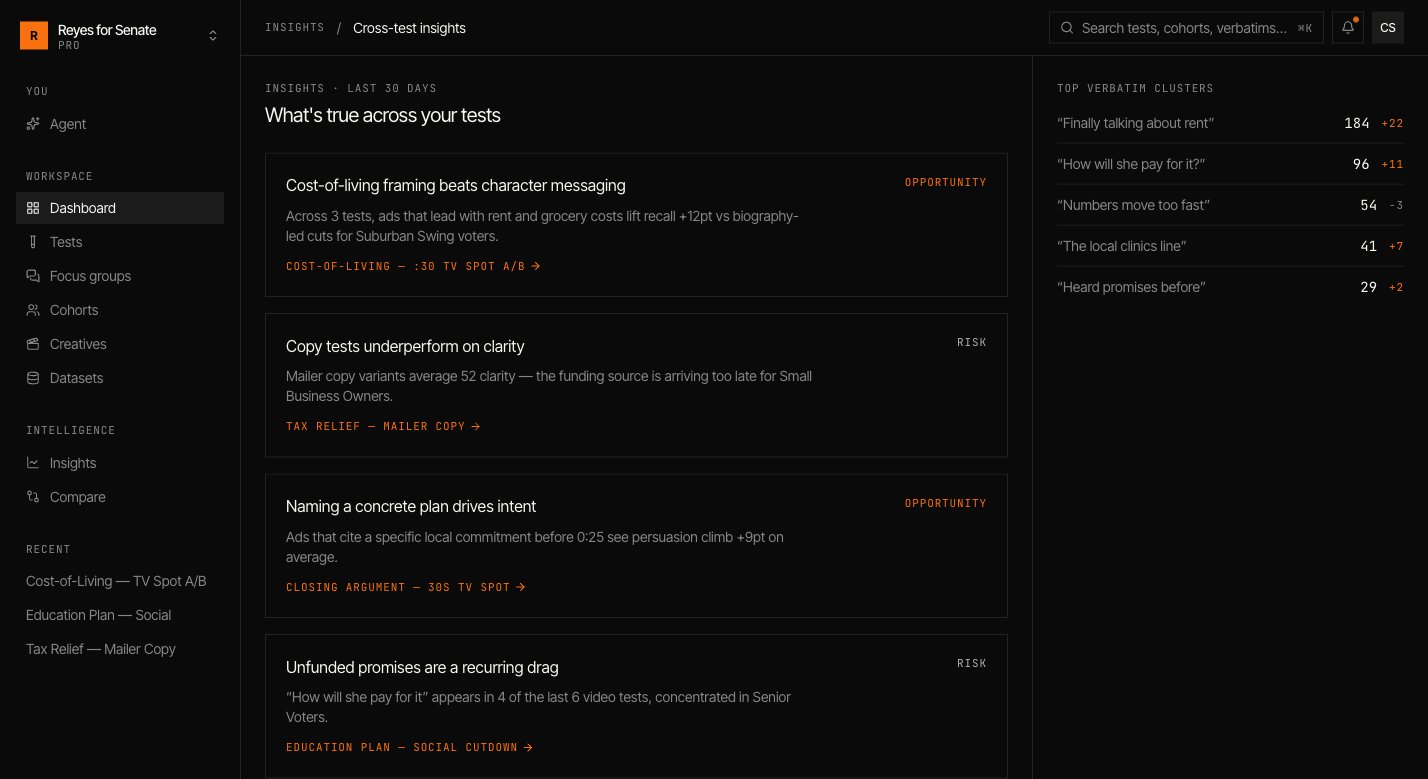
Compare
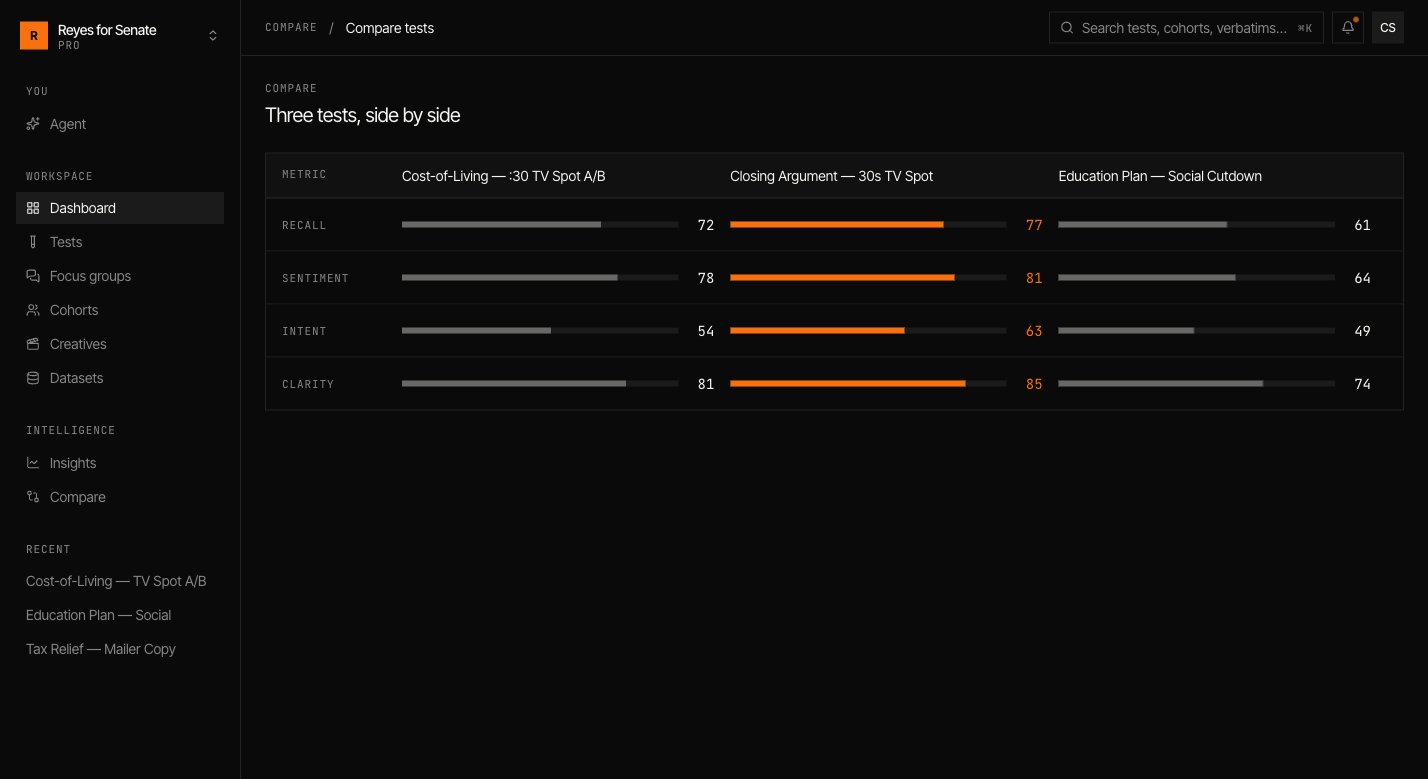
Open Compare to put tests side by side. It’s the fastest way to answer questions like:- Which variant won, and by how much, on each metric?
- Did the creative that led overall also lead with the segment that matters?
- How does this quarter’s launch read against the last one?
Ask the agent
Query these patterns in plain language.