

Prerequisites
- Access to Simulant at app.simulant.tech. If you don’t have an account, book a demo or accept a workspace invite.
- A creative to test — a video, an image, or a block of copy. You can also start with messaging typed directly into the app.
Set up your workspace
Create your account
Sign up at app.simulant.tech/signup with your work email, then enter the 6-digit code we send you. If you were invited to a workspace, open the invite link instead and accept.
Run your first test
Add data (optional)
Simulant ships with a public library of grounding datasets, so you can start immediately. To add your own signal, go to Datasets → Add dataset. See Datasets.
Build a cohort
Go to Cohorts → New cohort. Name it, choose the source data it’s built from, then narrow it with demographic filters and psychographic tags. Simulant shows the sample size (
n) as you refine. See Build a cohort.Add your creative
Go to Creatives → Upload creative and drop in your video or image. For copy tests, you can skip this and type the messaging directly into the test builder. See Creatives.
Create the test
Go to Tests → New test. Give it a name and a hypothesis, choose the format (Video, Image, or Messaging), add your variants, pick the cohort, and select the metrics and questions you want answered. See Run a test.
Run it
Click Run test. Simulant questions the population and assembles the results. You’ll get a notification when the run finishes.
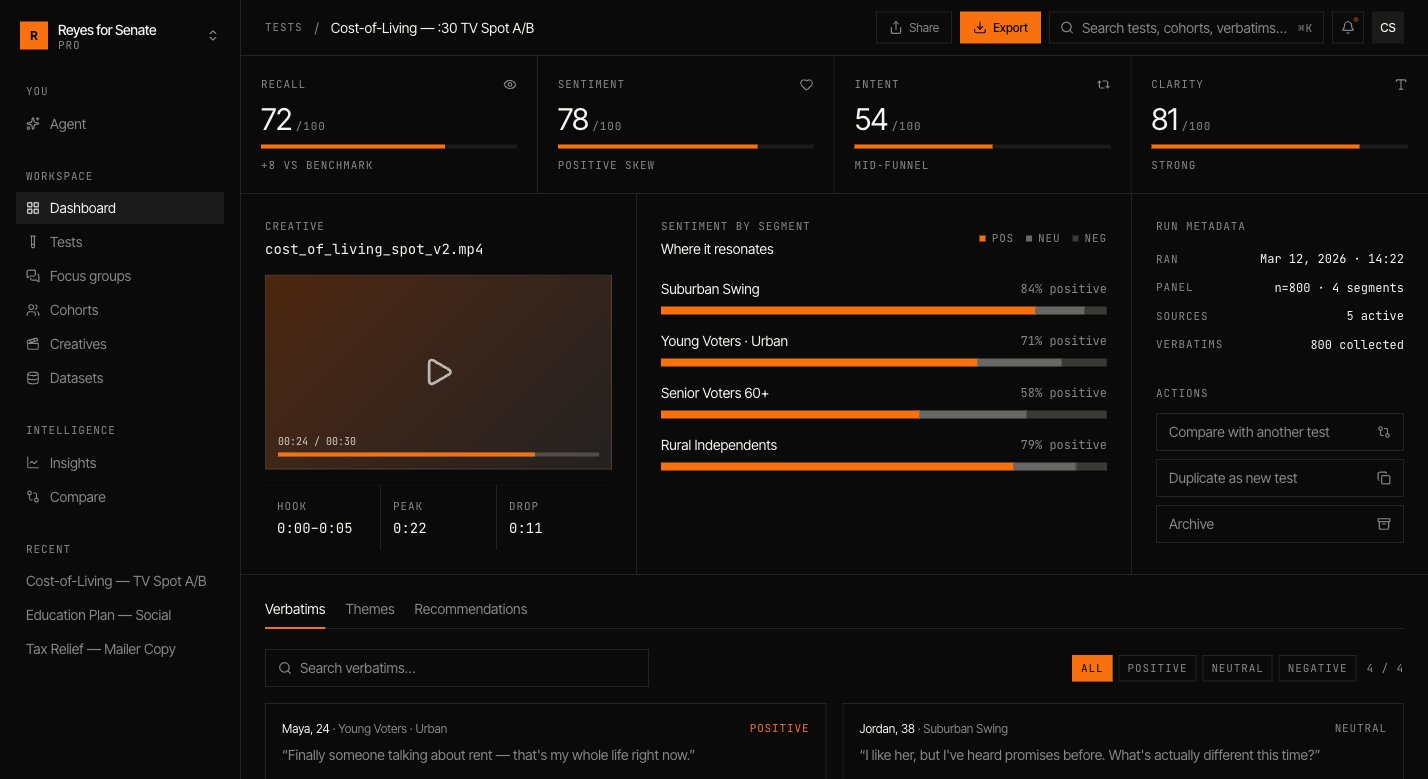
You’ve run your first simulation. Next, try convening a focus group from the same cohort to hear the room deliberate.
Where to go next
Core concepts
Understand cohorts, tests, and focus groups.
Research agent
Ask questions of your simulation in plain language.
Invite your team
Add teammates and set roles.
Compare and track
Find patterns across every test you run.