

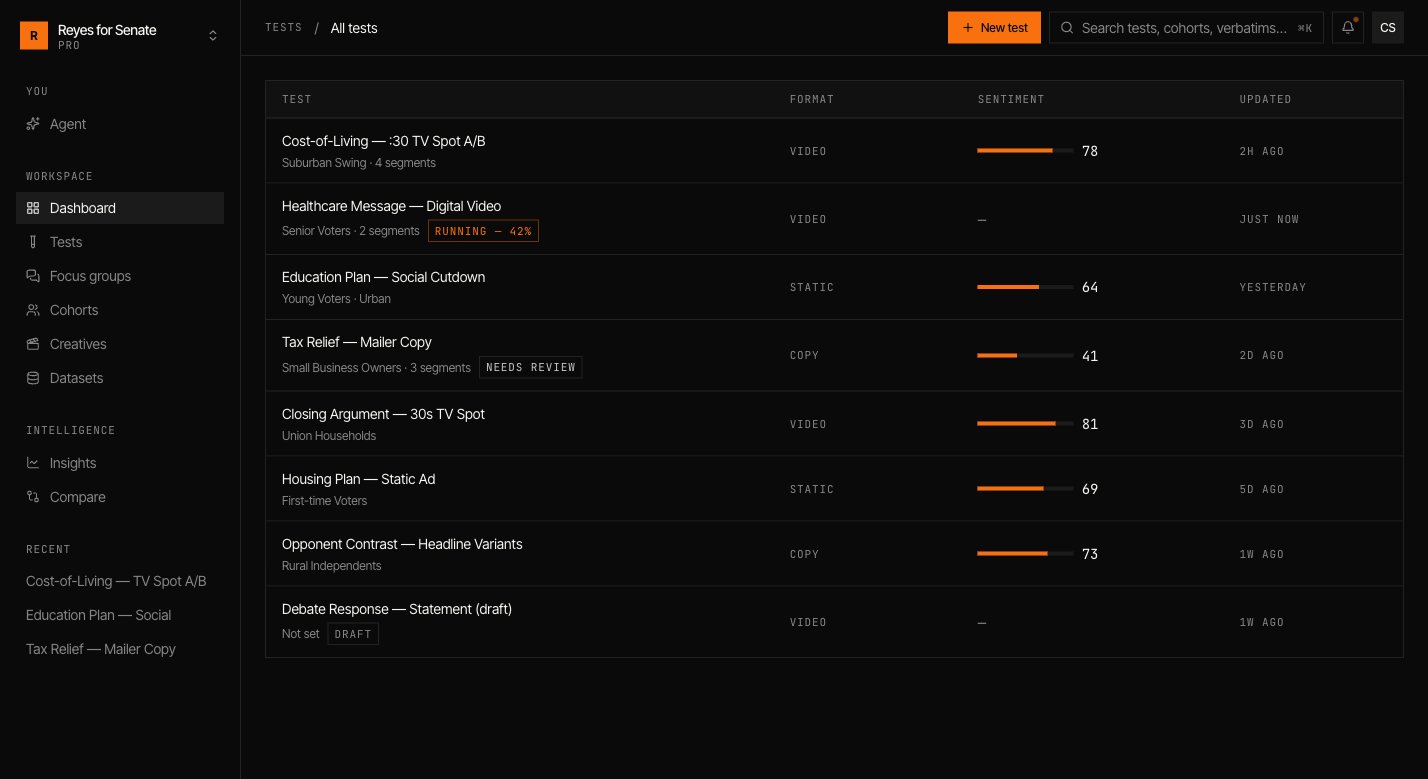
Build a test
Go to Tests → New test. The builder is organized into sections; work down the form and use the live panel to preview your setup.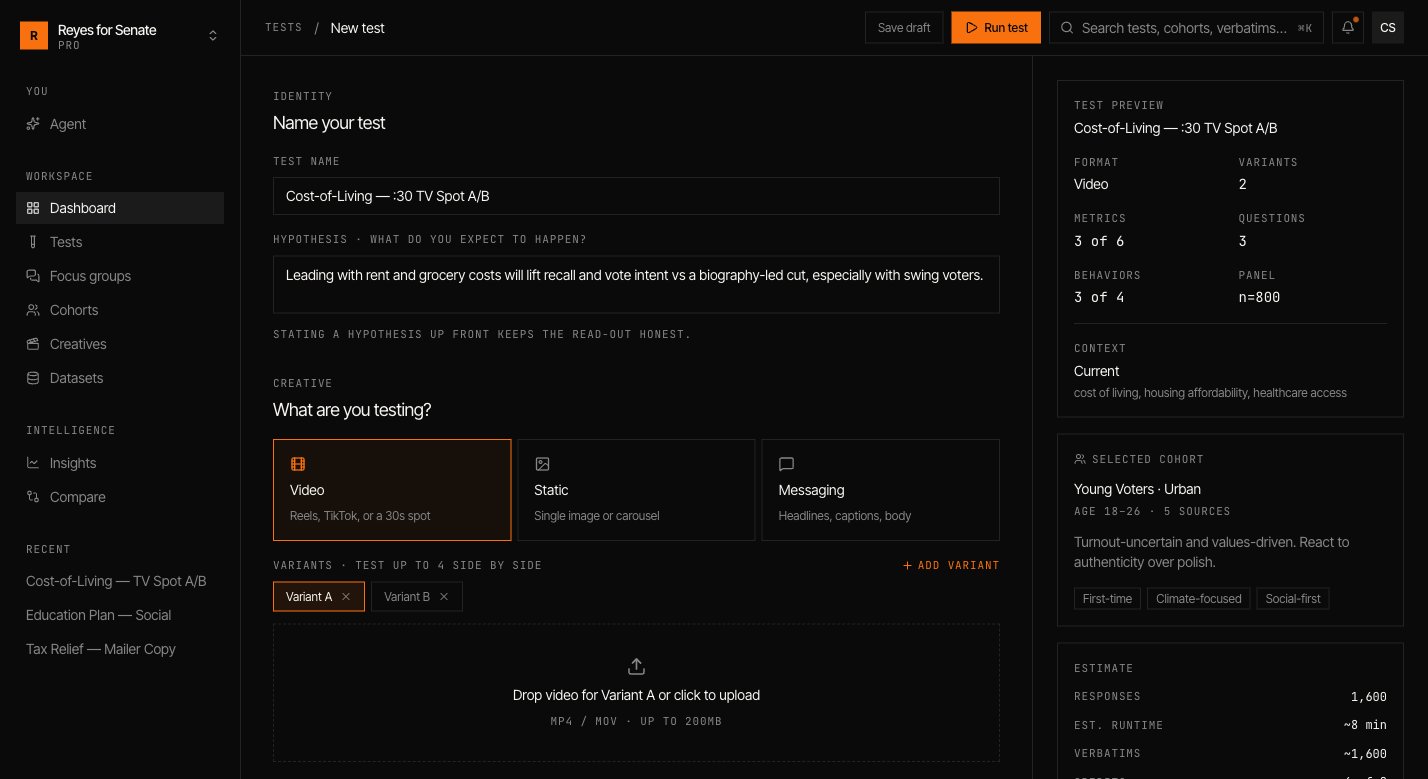
Identity
Name the test and state a hypothesis — what you expect to happen and why. Stating it up front keeps the read-out honest and gives you something to check the result against.Creative
Choose the format:- Video — react to a video cut.
- Image — react to a static asset.
- Messaging — react to copy you type or upload.
Audience
Pick the cohort the test runs against, or create a new one inline. Every variant is shown to the same audience, so differences in the result come from the creative, not the crowd. See Build a cohort.Context
Set the real-world environment the population is reacting within:- Current — today’s prevailing issues, mood, and events.
- Neutral — strip out context for a clean baseline.
- Custom — specify the issues, mood, events, and competitive pressure yourself.
Metrics
Select the quantitative measures you want scored, such as Recall, Sentiment, and Purchase intent. Each is reported out of 100 and can be cut by segment.Questions
Add the questions each persona answers. Question types include:- Open-ended — free-text responses that become verbatims.
- Rating 1–5 — a numeric scale.
- Multiple choice — fixed options you define.
Panel and behavior
Tune how the run executes:- Sample size — how many personas to draw from the cohort (capped at the cohort’s
n), or Max. - Randomize — vary the order variants are shown to reduce order bias.
- Attention checks — include checks that keep responses honest.
- Agent behavior — toggles such as allowing refusals, requiring grounded answers, capturing verbatims, and probing with adversarial follow-ups.
Run it
Click Run test. Simulant questions the population and assembles the results; you’ll be notified when the run finishes. You can also Save draft to come back later.Run time scales with sample size, number of variants, and question count. Larger panels take longer but tighten the confidence of the quantitative measures.
Read the results
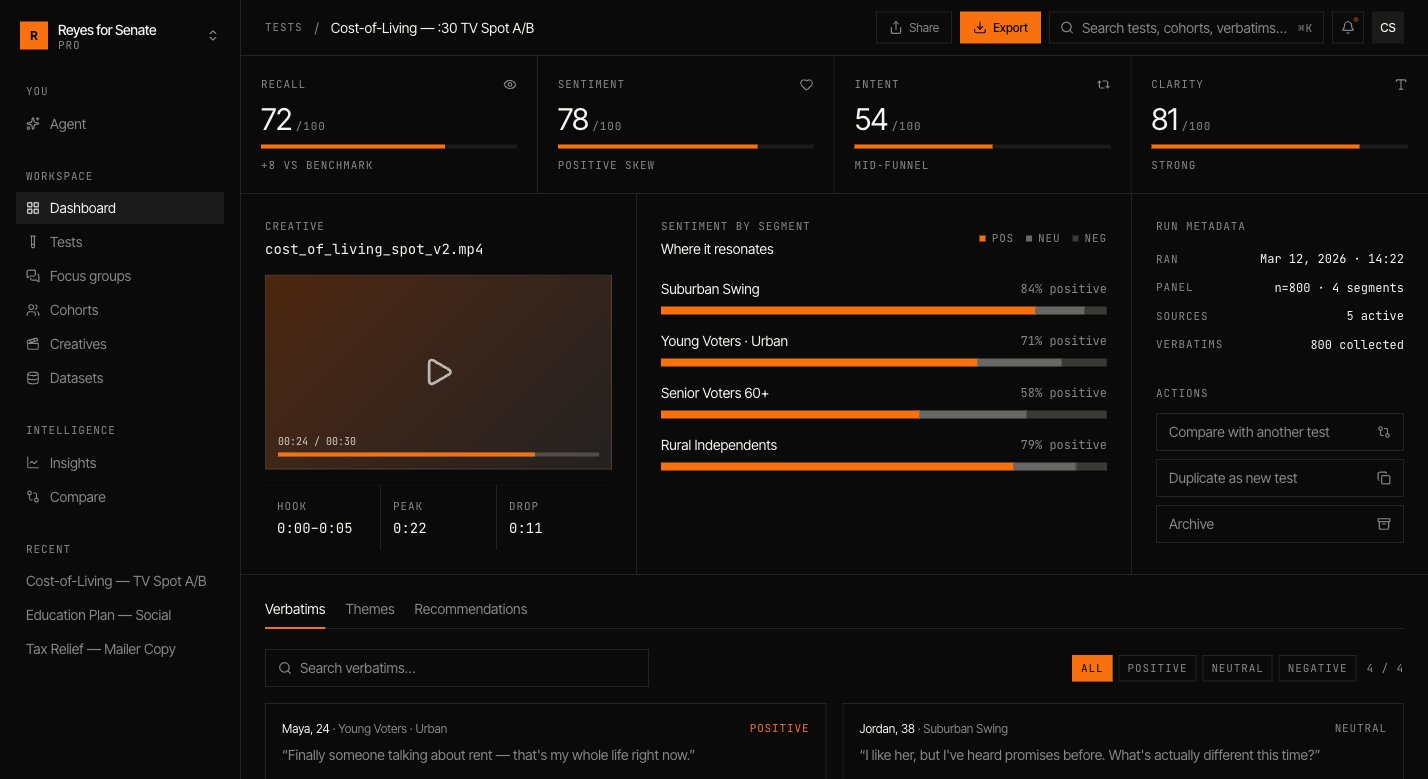
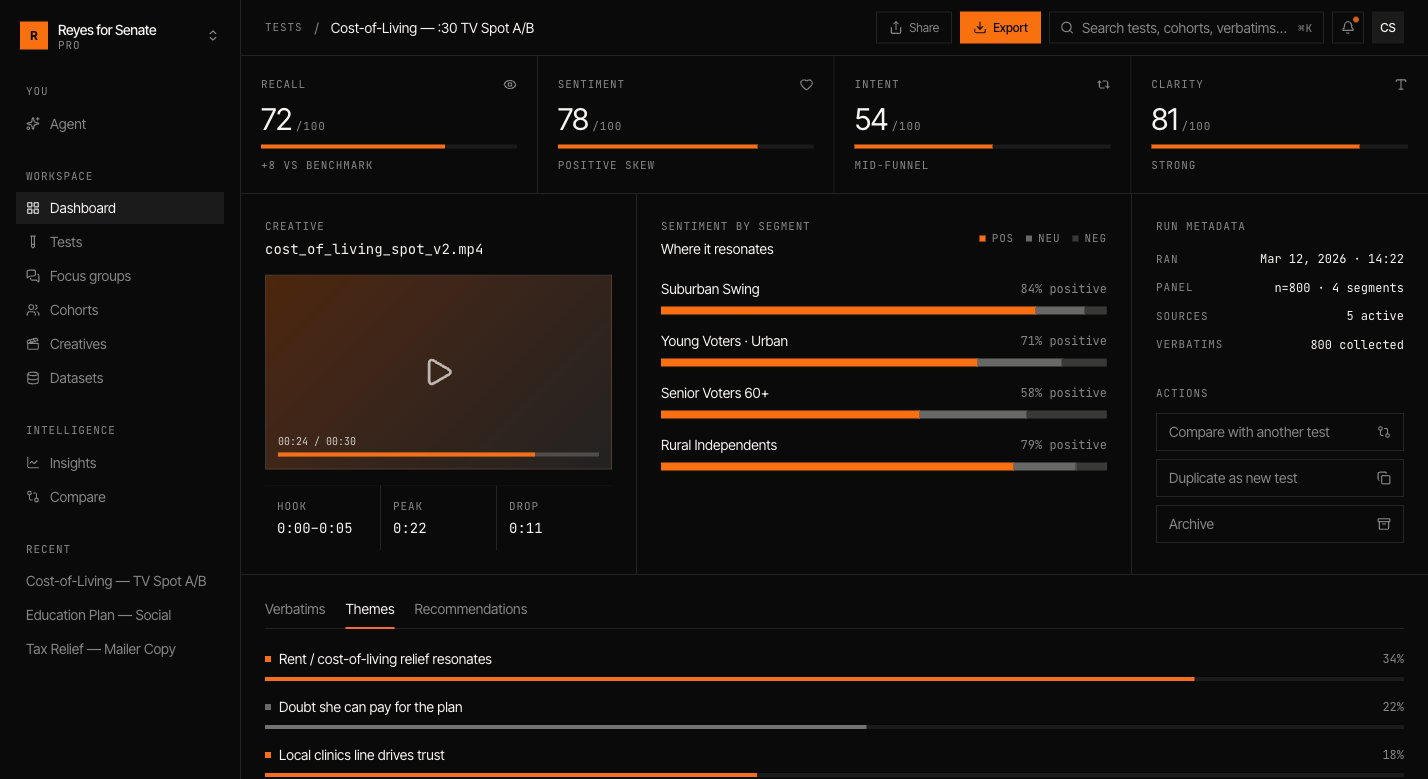
Open a finished test to see:- Headline metrics — recall, sentiment, intent, and clarity, each scored out of 100 against a benchmark.
- Sentiment by segment — where the creative resonates and where it falls flat, split positive / neutral / negative.
- Verbatims — what individual personas said, filterable by tone. Read the reasoning, not just the score.
- Themes — verbatims clustered into the patterns that recur across the panel.
- Recommendations — the actions the result points to.
Next
Run a focus group
Hear the same cohort deliberate in conversation.
Compare and track
Find patterns across every test you run.