

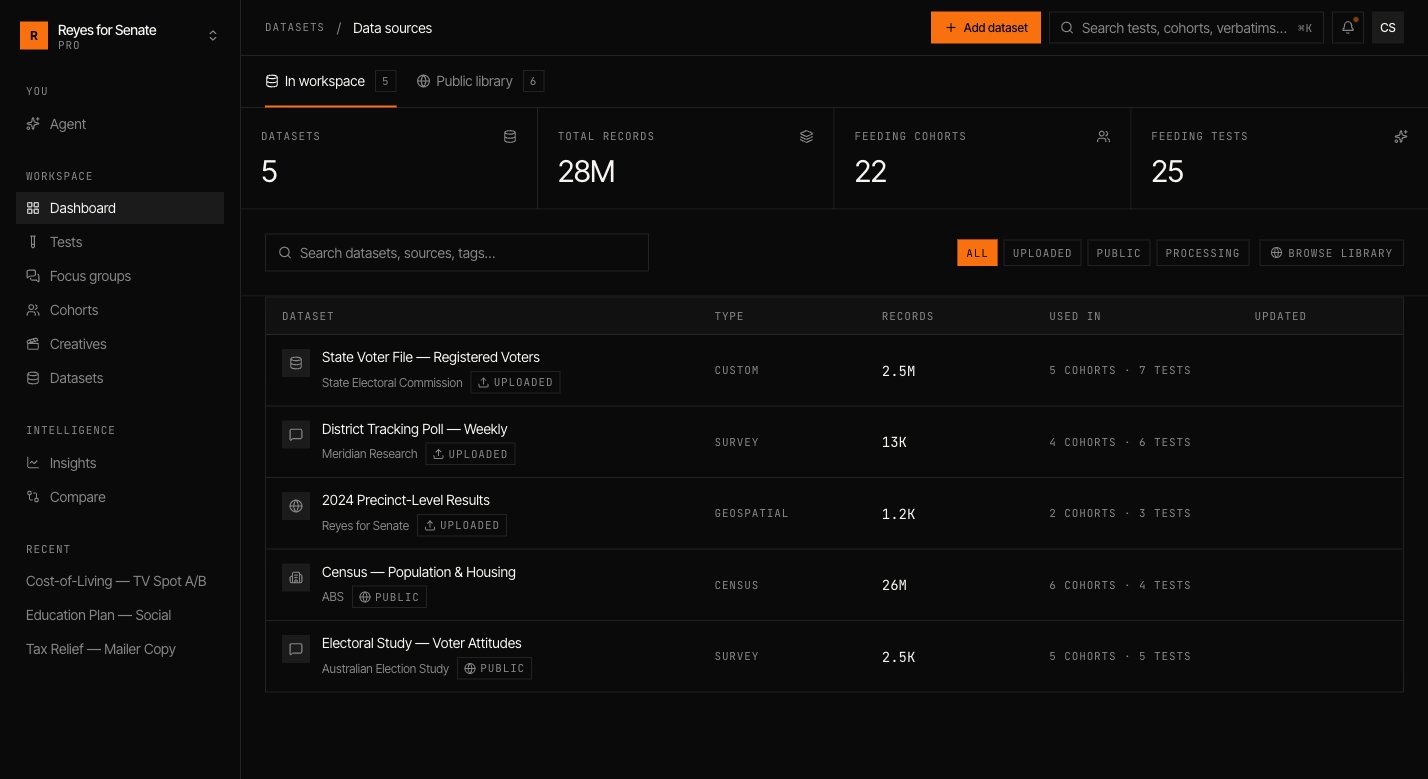
The public library
Every workspace can draw on Simulant’s public library — a curated set of official, high-quality datasets covering population, attitudes, and behavior. Browse it under Datasets → Add dataset → Public library, then add a dataset to your workspace to make it available to cohorts. See How grounding works for what’s included.Add your own data
Go to Datasets → Add dataset and choose a source:Upload a file
Drop in a file to import — for example, a brand tracker or a survey export. Simulant reads the schema so you can confirm the fields and preview sample rows.
Connect a source
Point Simulant at an API endpoint and provide an authorization token to pull records from an external system.
Describe the dataset
Give it a name (for example,
Q2 Brand Tracker), a description of what it contains and how it should be used, a category, and tags.Schema, versions, and preview
Open any dataset to inspect its schema (the fields and their types), browse sample rows, and see its details. Datasets are versioned — when you re-import or update a source, Simulant keeps the version history so results stay reproducible and you can see exactly what a run was built on.Using datasets in cohorts
Datasets don’t shape a study on their own — you select which ones a cohort is built from under Source data. Toggling a source on or off changes the signal behind that cohort’s personas.Your uploaded and connected datasets stay private to your workspace. Public library datasets are shared grounding available to everyone.
How grounding works
Understand how datasets become a population.