> ## Documentation Index
> Fetch the complete documentation index at: https://docs.simulant.tech/llms.txt
> Use this file to discover all available pages before exploring further.
# Plans and billing
> Manage your workspace plan, billing details, and what each plan includes.
Each workspace is on its own **plan**, which determines the features available to it — including [programmatic API access](/workspace/api). The current plan is shown next to the workspace name in the switcher.
## Manage billing
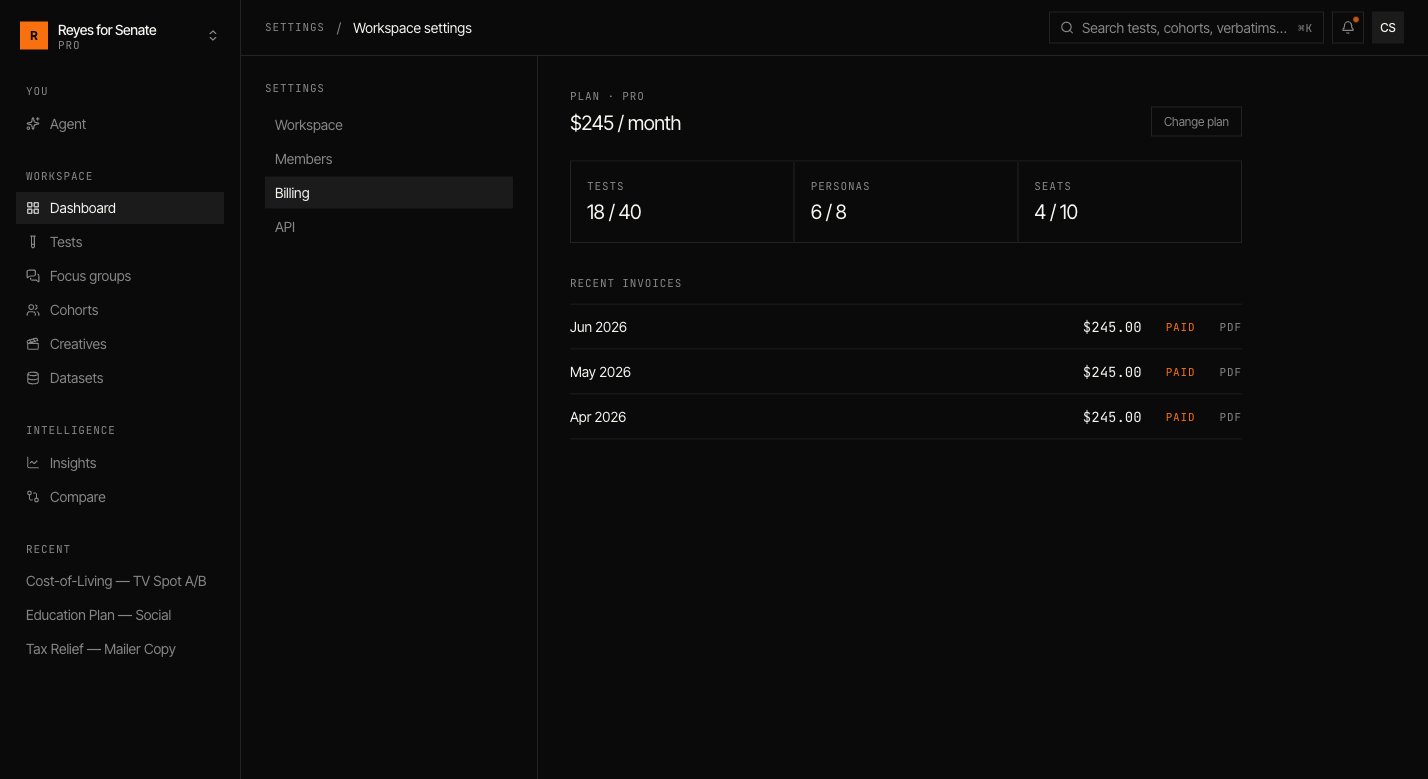
Go to **Settings → Billing** to view your current plan, update payment details, and change your subscription. Only the workspace **owner** can manage billing. See [Members and roles](/workspace/members).
 ## Changing plans
Upgrade when you need more capacity or features such as API access; downgrade or cancel from the same screen. Changes apply to the workspace, so every member benefits from an upgrade immediately.
Billing is per workspace. If you run separate workspaces — for example, one per client — each has its own plan and invoices.
Not sure which plan fits? Reach out at [support@simulant.tech](mailto:support@simulant.tech).
## Changing plans
Upgrade when you need more capacity or features such as API access; downgrade or cancel from the same screen. Changes apply to the workspace, so every member benefits from an upgrade immediately.
Billing is per workspace. If you run separate workspaces — for example, one per client — each has its own plan and invoices.
Not sure which plan fits? Reach out at [support@simulant.tech](mailto:support@simulant.tech).