> ## Documentation Index
> Fetch the complete documentation index at: https://docs.simulant.tech/llms.txt
> Use this file to discover all available pages before exploring further.
# API access
> Create an API key and drive Simulant programmatically.
Simulant offers **programmatic access** so you can create cohorts, run tests, and pull results from your own systems. API access is available on the **Pro plan**. See [Plans and billing](/workspace/billing).
## Get an API key
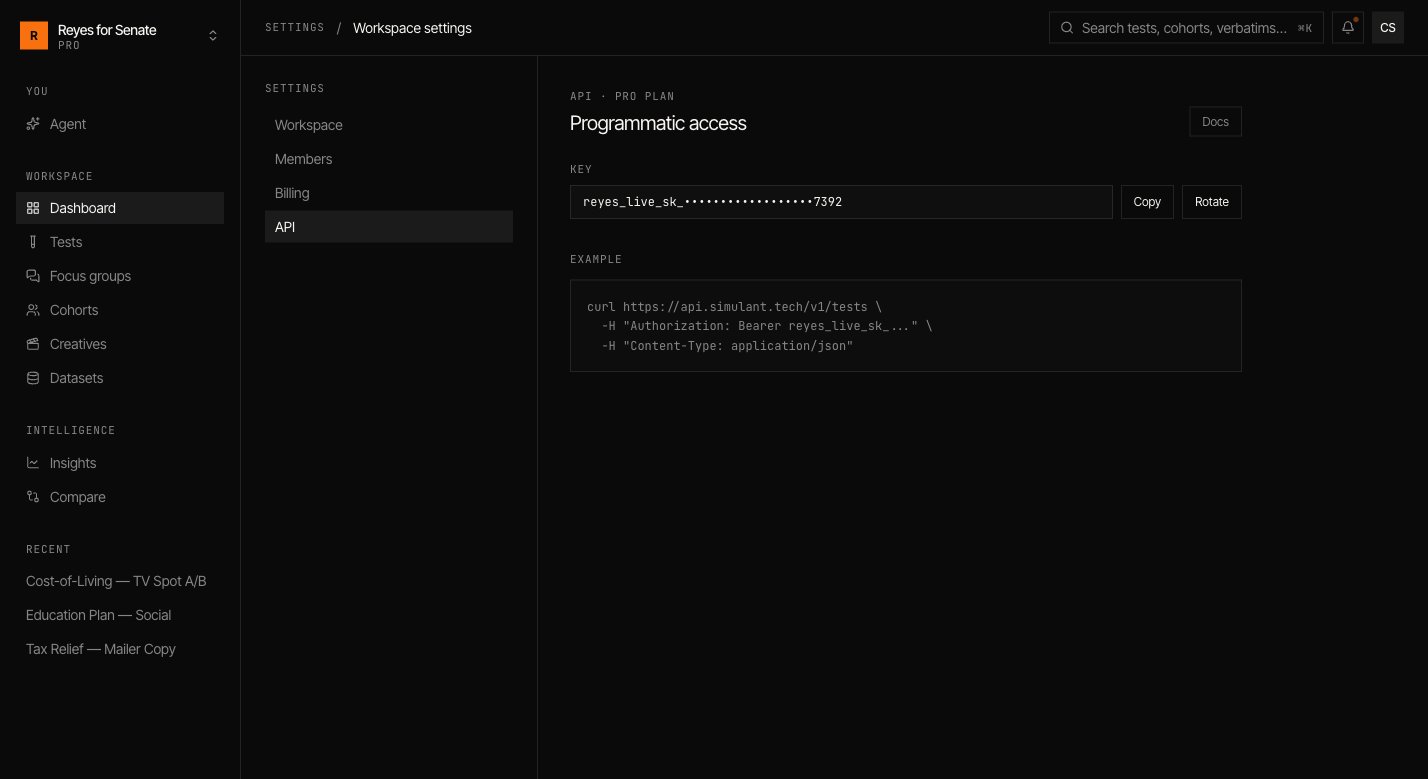
Go to **Settings → API** to view your workspace's key. From here you can **copy** the key or **rotate** it if it's ever exposed.
 Treat your API key like a password. It carries the permissions of your workspace — never commit it to source control or expose it in client-side code. Rotate immediately if it leaks.
## Authenticate
Pass your key as a bearer token on every request:
```bash theme={null}
curl https://api.simulant.tech/v1/tests \
-H "Authorization: Bearer YOUR_API_KEY" \
-H "Content-Type: application/json"
```
## What you can do
The API mirrors the objects you work with in the app — [cohorts](/guides/cohorts), [tests](/guides/tests), and [focus groups](/guides/focus-groups) — so you can:
* Kick off a test or cohort run from a pipeline.
* Poll a run's status and fetch results when it completes.
* Export verbatims and metrics into your own reporting.
Building an integration and need the full endpoint reference? Contact [support@simulant.tech](mailto:support@simulant.tech) and we'll get you set up.
Treat your API key like a password. It carries the permissions of your workspace — never commit it to source control or expose it in client-side code. Rotate immediately if it leaks.
## Authenticate
Pass your key as a bearer token on every request:
```bash theme={null}
curl https://api.simulant.tech/v1/tests \
-H "Authorization: Bearer YOUR_API_KEY" \
-H "Content-Type: application/json"
```
## What you can do
The API mirrors the objects you work with in the app — [cohorts](/guides/cohorts), [tests](/guides/tests), and [focus groups](/guides/focus-groups) — so you can:
* Kick off a test or cohort run from a pipeline.
* Poll a run's status and fetch results when it completes.
* Export verbatims and metrics into your own reporting.
Building an integration and need the full endpoint reference? Contact [support@simulant.tech](mailto:support@simulant.tech) and we'll get you set up.