> ## Documentation Index
> Fetch the complete documentation index at: https://docs.simulant.tech/llms.txt
> Use this file to discover all available pages before exploring further.
# Run a focus group
> Convene a room from any cohort and watch it deliberate, react, and shift its mind in conversation.
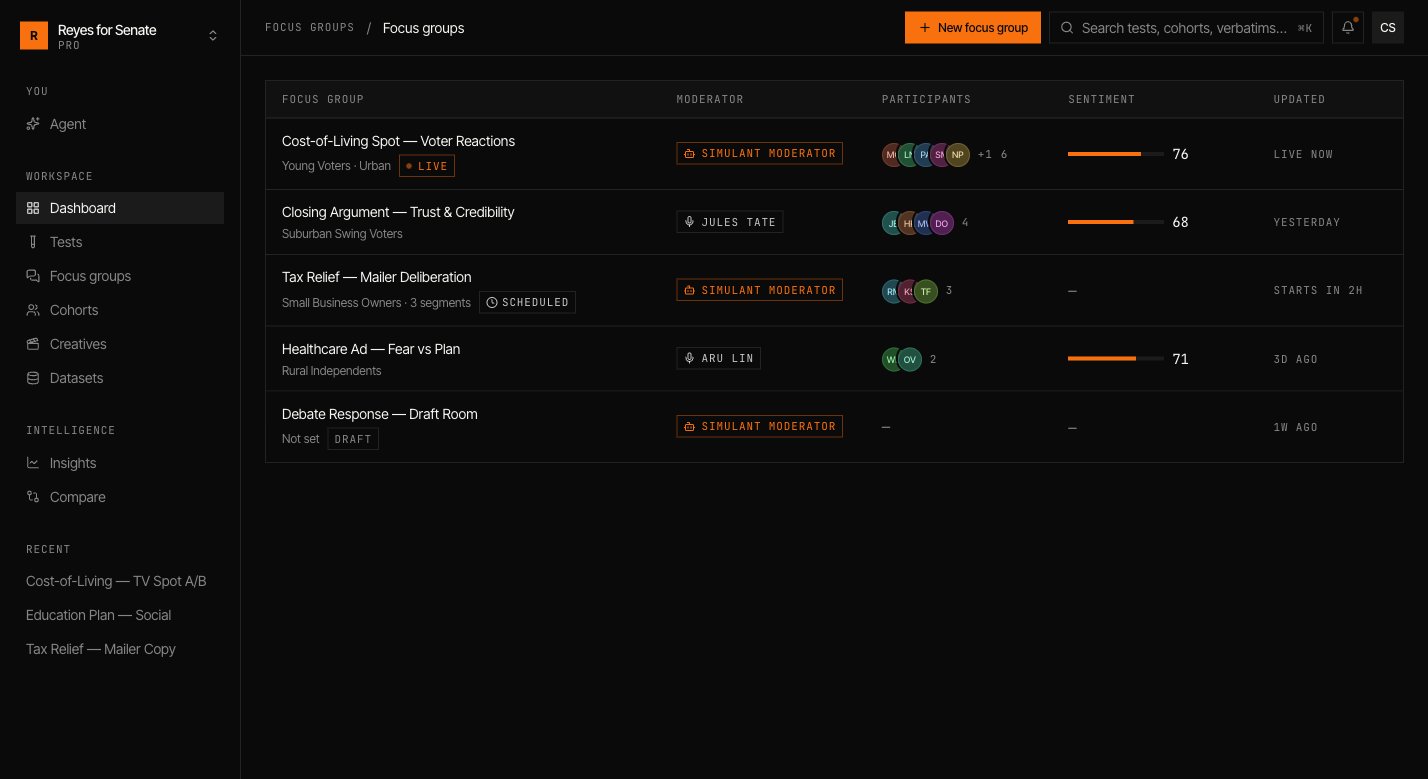
A **focus group** convenes a small room of personas from a cohort and lets them talk. Where a [test](/guides/tests) collects reactions across the whole population, a focus group shows you how a handful of people reason together — where they agree, where they push back, and what changes their mind.
 ## Create a focus group
Go to **Focus groups → New focus group** and work down the builder.
## Create a focus group
Go to **Focus groups → New focus group** and work down the builder.
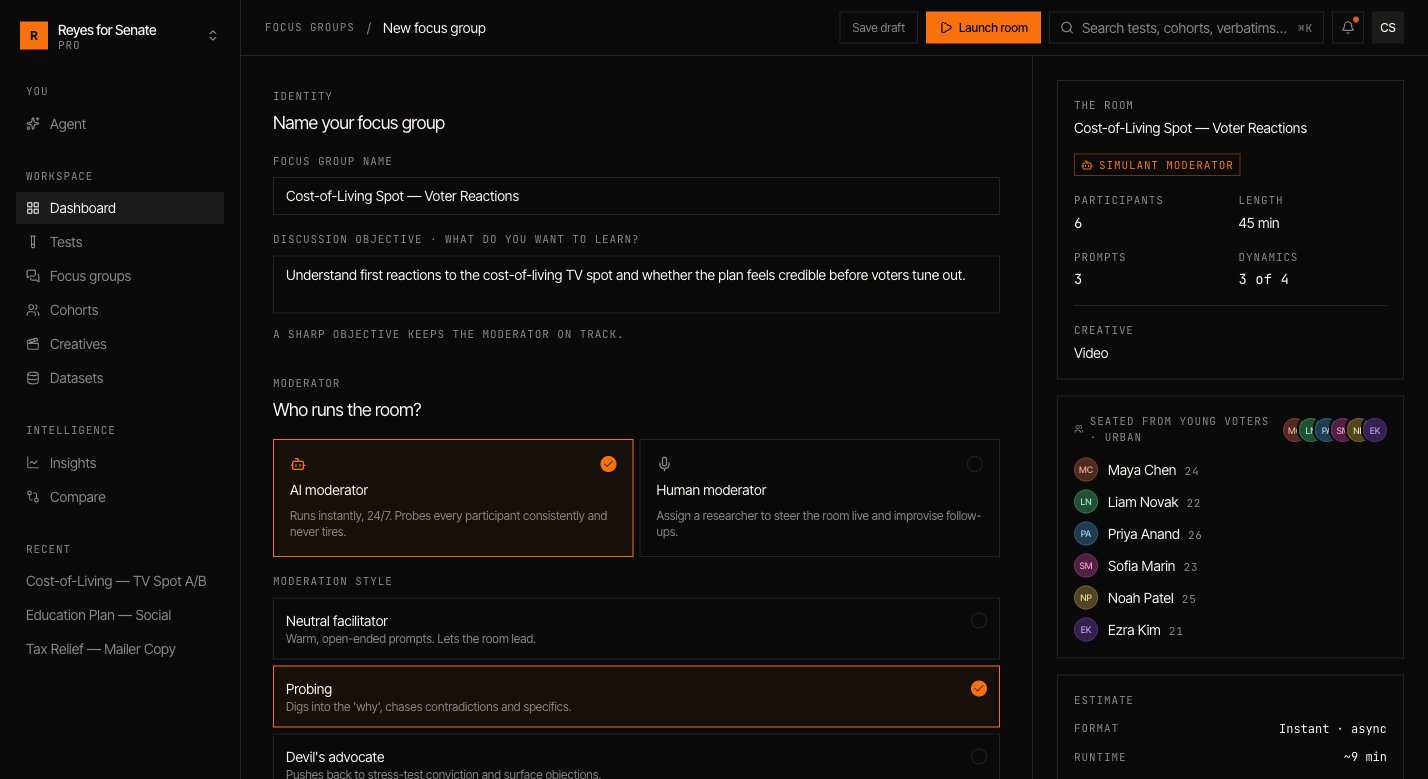 Give the group a name and a sharp **discussion objective** — what you want to learn. The objective keeps the moderator on track.
Pick an **AI moderator**, which runs instantly and probes every participant consistently, or a **Human moderator** to steer the room live. For the AI moderator, choose a style such as `probing`.
Turn on **test a creative** to have the room react to a video, image, or message. See [Creatives](/guides/creatives).
Add the questions the moderator works through, and drag to reorder them. Open, specific prompts spark the best discussion.
Choose the **cohort**, then select participants from its roster. Five to eight participants is the sweet spot — big enough for real dynamics, small enough to follow.
Choose a session **length** (for example, `45 min`) and toggle group **dynamics**: allow **crosstalk**, encourage **dissent**, run **anonymous**, and generate a **summary**.
## Launch the room
Click **Launch room**. The moderator opens with your first prompt and the participants respond, react to each other, and work toward — or away from — consensus.
Give the group a name and a sharp **discussion objective** — what you want to learn. The objective keeps the moderator on track.
Pick an **AI moderator**, which runs instantly and probes every participant consistently, or a **Human moderator** to steer the room live. For the AI moderator, choose a style such as `probing`.
Turn on **test a creative** to have the room react to a video, image, or message. See [Creatives](/guides/creatives).
Add the questions the moderator works through, and drag to reorder them. Open, specific prompts spark the best discussion.
Choose the **cohort**, then select participants from its roster. Five to eight participants is the sweet spot — big enough for real dynamics, small enough to follow.
Choose a session **length** (for example, `45 min`) and toggle group **dynamics**: allow **crosstalk**, encourage **dissent**, run **anonymous**, and generate a **summary**.
## Launch the room
Click **Launch room**. The moderator opens with your first prompt and the participants respond, react to each other, and work toward — or away from — consensus.
 ## Read the discussion
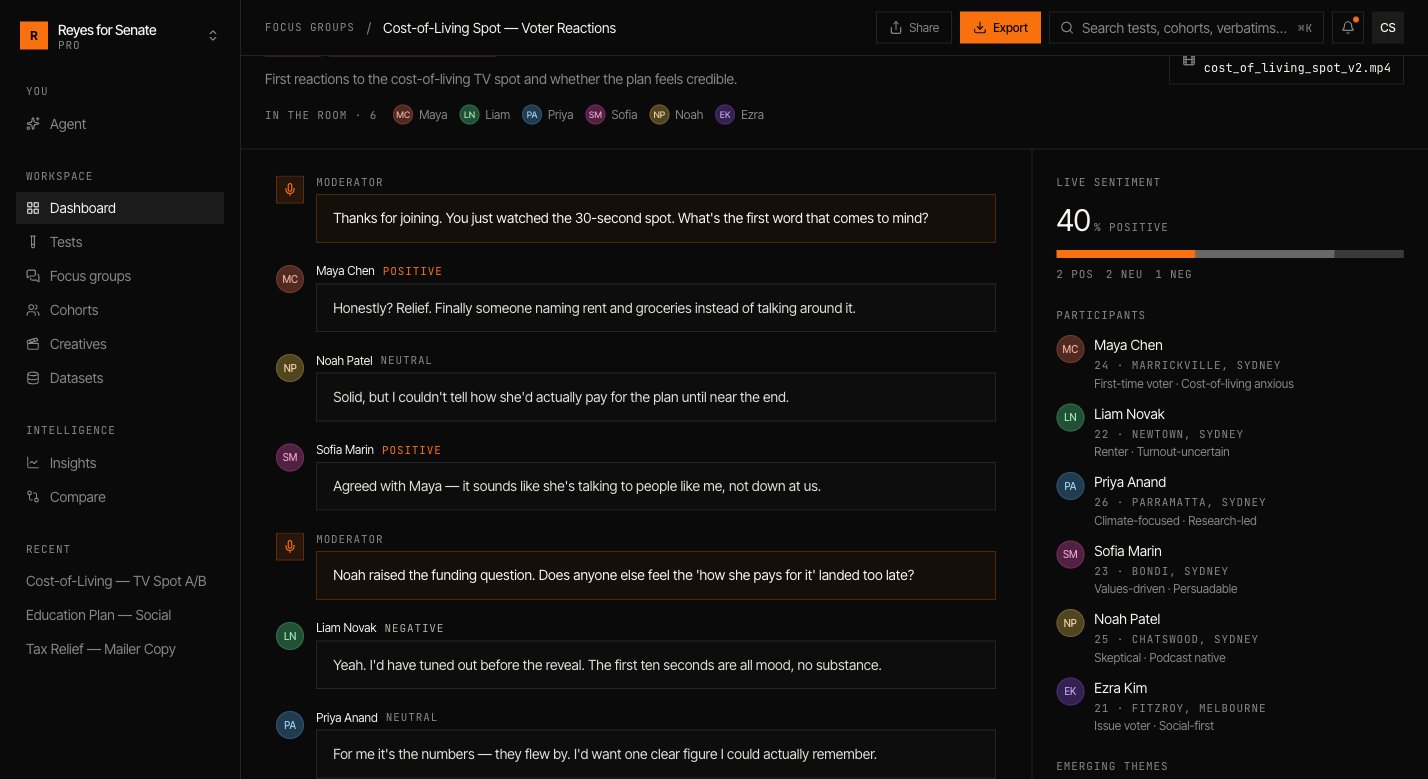
As the room runs you can follow:
* **The transcript** — the full back-and-forth, attributed to each participant.
* **Shifts** — where a participant changes position, and what moved them.
* **Summary** — the throughline of the conversation, the points of agreement, and the live dissent.
Run a focus group after a test to understand the *why* behind a surprising number. Use the same cohort so the room reflects the population you just measured.
Measure the reaction across the whole population.
## Read the discussion
As the room runs you can follow:
* **The transcript** — the full back-and-forth, attributed to each participant.
* **Shifts** — where a participant changes position, and what moved them.
* **Summary** — the throughline of the conversation, the points of agreement, and the live dissent.
Run a focus group after a test to understand the *why* behind a surprising number. Use the same cohort so the room reflects the population you just measured.
Measure the reaction across the whole population.