> ## Documentation Index
> Fetch the complete documentation index at: https://docs.simulant.tech/llms.txt
> Use this file to discover all available pages before exploring further.
# Creatives
> Upload and manage the videos, images, and copy you test with Simulant.
A **creative** is the asset a test or focus group reacts to. Creatives live in your workspace so you can reuse them across studies and variants.
## Upload a creative
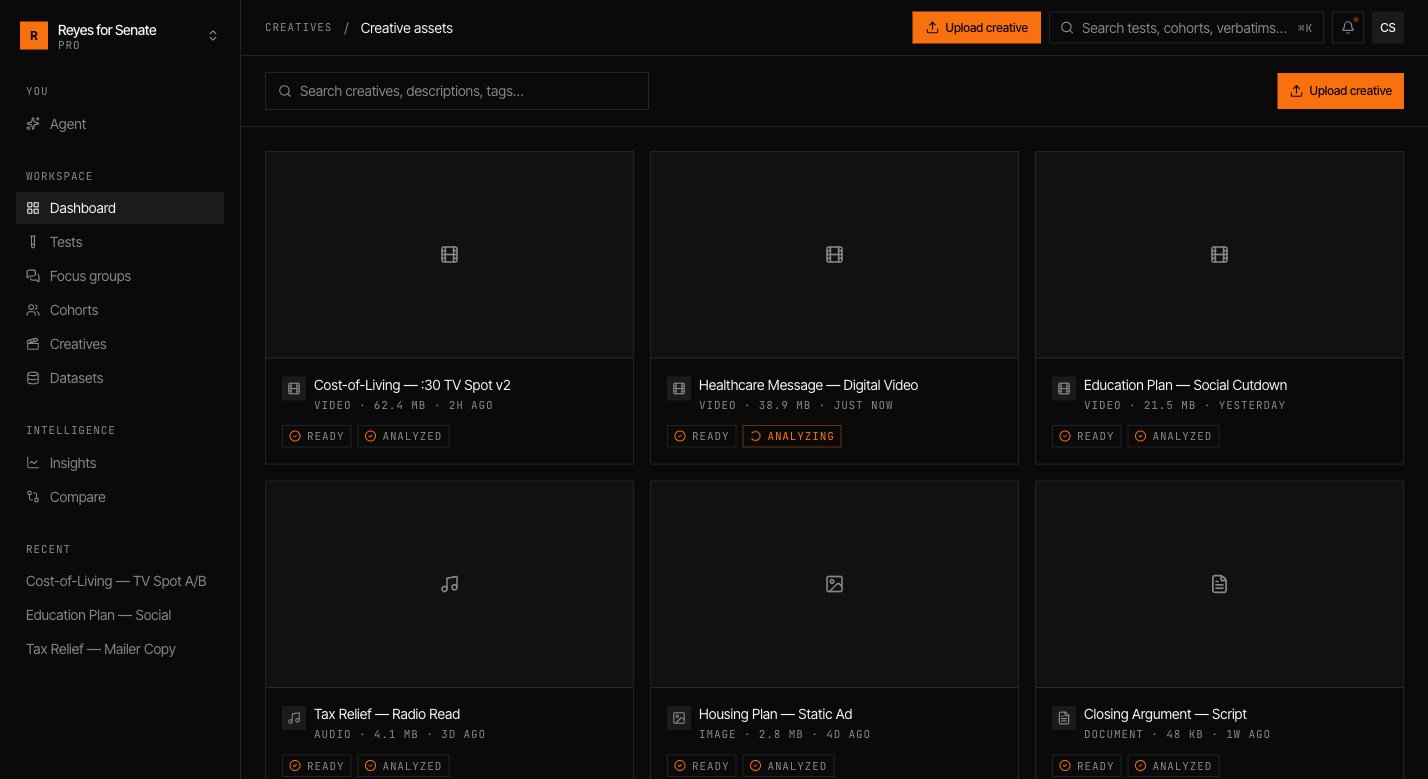
Go to **Creatives → Upload creative** and drop in your file, or click to browse. Uploads run in the background and show progress as they go.
Supported formats include:
* **Video** — the most common creative for ad and hook testing.
* **Image** — static ads, key art, packaging, and stills.
* **Messaging** — headlines, captions, and body copy. You can upload a document or type copy directly in the test builder.
Large video files are processed after upload so they play back smoothly in the app. A creative is ready to test once processing completes.
## Use a creative in a test
When you build a [test](/guides/tests) or [focus group](/guides/focus-groups), pick the format and attach a creative to each variant. To compare options, add up to four variants (A, B, C, D) and attach a different creative or message to each.
For copy tests, choose the **Messaging** format and paste the headline, caption, or body text for each variant — no upload required.
## Manage creatives
Open **Creatives** to see every asset in the workspace, preview it, and see where it's been used. Reusing a creative across tests keeps your results comparable and your library tidy.
 Put a creative in front of a cohort and read the reaction.